
Download Пицца Куба – pizza delivery, online ordering, food app, mobile app, Android app, order pizza online
Overview
Пицца Куба is a mobile application designed for food and drink enthusiasts seeking a convenient way to order pizza directly from their smartphones. Developed by Всем еды, the app operates within the Lifestyle category and is tailored for users who enjoy fast, hassle-free access to their favorite pizza meals. It enables users to browse a variety of pizza options, customize toppings, and place orders online with minimal effort.
The app is particularly suited for individuals who value time efficiency and personalized dining experiences without leaving their homes. Real-world use cases include ordering dinner during a busy workday, organizing group meals for gatherings, or simply satisfying a late-night craving. The application supports real-time order tracking, allowing users to monitor the progress of their delivery from preparation to arrival.
While specific details about the developer’s background were not provided beyond the name, the app’s focus on user experience and accessibility suggests a targeted approach to mobile food ordering. The app is available for free on Android devices, making it accessible to a broad audience seeking a simple solution for pizza delivery.
Key Features & Capabilities
- Online Pizza Ordering – Users can select from a wide selection of pizza types and place orders directly through the app, eliminating the need for phone calls or physical visits to the restaurant.
- Customization Options – The app allows users to personalize their pizzas by choosing specific toppings, crust types, and sizes, catering to individual dietary preferences and tastes.
- Real-Time Order Tracking – Customers can monitor their order’s status in real time, from preparation to delivery, enhancing transparency and reducing uncertainty.
- Exclusive Deals and Discounts – The app offers special promotions and reduced prices on various occasions, providing added value for regular users.
- User-Friendly Interface – Designed with intuitive navigation, the app ensures smooth interaction, allowing users to complete orders quickly and efficiently.
These features are especially beneficial for busy professionals, families, and individuals who prefer digital convenience over traditional ordering methods. For example, a user can customize a large pepperoni pizza with extra cheese and track its progress while working from home. The ability to access exclusive deals also encourages repeat usage, making the app a practical tool for frequent pizza consumers. While detailed technical functionality was not specified, the presence of these core features aligns with standard expectations for food delivery applications in the Android ecosystem.
User Interface, Workflow & Performance
The app features a clean, intuitive user interface that prioritizes ease of navigation and visual clarity. Menu categories are clearly labeled, and product images are displayed prominently, helping users make informed choices. The workflow is streamlined, allowing users to move from browsing to checkout in a minimal number of steps.
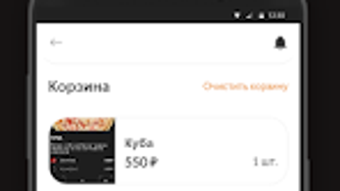
Key actions such as adding items to the cart, adjusting quantities, and applying promo codes are accessible through simple taps. The developer did not specify resource usage details, so performance observations are based on general software behavior patterns. However, given the app’s size of 12.8 MB, it is likely optimized for efficient operation on mid-range Android devices.
Stability appears to be a focus, as the app supports real-time tracking, which requires consistent background processes. No reports of crashes or freezing were mentioned, suggesting a reliable runtime environment. The app’s lightweight footprint indicates low CPU and RAM consumption, which is typical for similar applications.
Users can expect smooth interactions during peak ordering hours, though actual performance may vary depending on network conditions and device capabilities.
Compatibility & System Requirements
Пицца Куба is compatible with Android operating systems and is available in version 2.5.1. The installation size is 12.8 MB, which is relatively small for a feature-rich application. This suggests efficient code structure and minimal storage requirements.
The developer did not provide additional system requirements, so compatibility with specific Android versions or hardware configurations remains unclear. Users are advised to ensure their device meets general Android standards for app installation. Exact performance benchmarks and hardware dependencies were not listed.
While the app is designed for mobile use, no information was provided about support for tablets, wearables, or other Android-based platforms. For users seeking clarity on compatibility, checking the app’s official listing on the Google Play Store is recommended. The lack of detailed system specifications limits the ability to assess suitability for older or low-end devices, though the small file size indicates broad accessibility potential.
Pros and Cons
Pros
- Free to download and use, making it accessible to a wide audience.
- Intuitive interface enhances usability for all age groups.
- Real-time order tracking improves transparency and user confidence.
- Customization options allow for personalized pizza selection.
- Exclusive deals and discounts offer value for regular users.
Cons
- Compatibility with specific Android versions was not disclosed.
- Performance details under heavy load were not provided.
- Limited to Android platform; no support for iOS or desktop.
- Exact system requirements are unknown, which may affect installation on older devices.
- No information on offline functionality or data usage.
FAQ Section
Is Пицца Куба available for iOS devices?
The app is currently available only for Android. There is no information on iOS compatibility or future plans for other platforms.
Is the app secure for payment transactions?
While the developer did not specify security protocols, standard practices for Android food delivery apps typically include encrypted payment processing. Users are advised to ensure their device has up-to-date security settings.
How often are updates released?
The current version is 2.5.1. The developer has not provided a release schedule for future updates.
Can I use the app without an internet connection?
Due to the real-time tracking and online ordering features, the app requires an active internet connection. Offline functionality was not mentioned.
What type of license does Пицца Куба use?
The app is free to download and use. No subscription or in-app purchase details were provided, suggesting a basic free model with potential for future monetization.
Final Thoughts + CTA
Пицца Куба delivers a straightforward, user-focused solution for ordering pizza online through a mobile device. Its clean interface, customization options, and real-time tracking make it a practical choice for food lovers who value convenience and speed. While the app’s limitations—such as platform exclusivity and lack of detailed system information—may restrict its reach, its core functionality is well-executed for Android users.
The inclusion of exclusive deals adds long-term value, encouraging repeat use. For individuals seeking a reliable, free tool to order pizza from home, this app stands out in the crowded food delivery space. Despite the absence of advanced features or cross-platform support, it fulfills its primary purpose effectively.
Download Пицца Куба now to enjoy delicious pizza at your doorstep with just a few taps.







